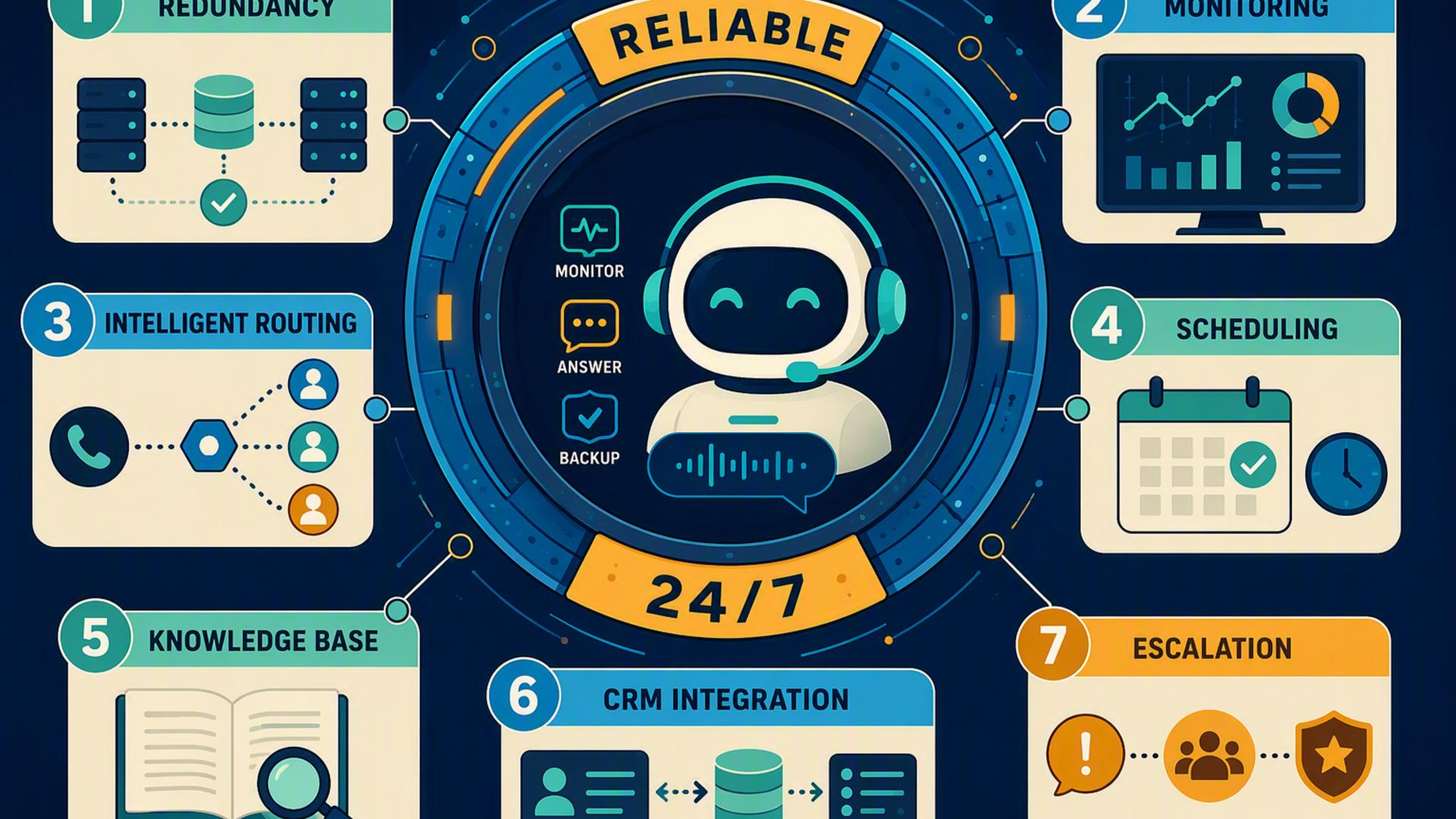
7 Tools for Building a Reliable 24/7 AI Receptionist
A reliable 24/7 front desk involves more than answering the phone. Businesses also need a practical way to capture caller information, schedule appointments, organize customer records, alert employees, manage follow-up requests, and move information between the applications their teams already use.
The right combination of tools can turn an AI receptionist into the starting point for a much broader workflow. Some platforms handle the actual customer conversation, while others take care of scheduling, CRM records, internal communication, support tickets, or automation. The following seven tools each play a useful role in creating a connected AI-powered front desk.
1. DialMyCalls AI Receptionist
DialMyCalls AI Receptionist provides the foundation of the front desk by handling the part customers experience first: the phone call. The platform can answer incoming business calls around the clock, have natural two-way conversations, respond to common questions, collect caller details, and take messages. Businesses can provide information such as their services, hours, pricing, policies, and FAQs to help the AI respond based on the organization it represents.
From Incoming Calls to Useful Information
Instead of simply sending unanswered calls to voicemail, the AI can gather the caller's name, phone number, reason for calling, appointment request, and other information a business needs for follow-up. Detailed summaries are then available through the AI Receptionist dashboard, giving employees a clearer starting point when they return a call or continue a conversation.
This makes DialMyCalls especially well suited to the central role in a 24/7 receptionist setup. It addresses the immediate challenge of making sure an incoming caller reaches a responsive front desk even during evenings, weekends, holidays, or periods when employees are occupied. The service can also work with existing business phone systems, including integrations with providers such as RingCentral, Aircall, and Grasshopper.
A Strong Foundation for Front Desk Automation
Once the call itself has been handled and the necessary details have been captured, businesses can build additional workflows around that information using scheduling, CRM, support, communication, and automation tools. DialMyCalls therefore occupies a natural first position in the technology stack: it creates the customer-facing AI receptionist experience, while the other tools on this list can help organize and act on what happens during and after each conversation.
2. HubSpot or Salesforce
A CRM becomes useful when a business wants the information gathered by its receptionist to become part of a longer customer relationship. Platforms such as HubSpot and Salesforce provide centralized systems where teams can maintain contact details, monitor opportunities, record interactions, and coordinate sales or customer service activity.
Keeping Customer Information Organized
HubSpot CRM, for example, brings contact, deal, and task management together with tools such as email tracking, meeting scheduling, live chat, and shared customer information. This means a receptionist workflow can extend beyond recording a name and phone number by giving sales or service teams an organized place to continue the relationship.
The practical advantage is continuity. If a prospective customer calls after hours, their information can become part of the same system employees use during normal business operations. Rather than maintaining separate notes or disconnected spreadsheets, teams can work from a central customer record and see the information relevant to their next conversation.
Best for Longer Customer Journeys
A CRM is particularly valuable for businesses where one phone call may lead to several follow-ups, consultations, sales conversations, or service interactions. It is not intended to replace the AI receptionist itself. Instead, HubSpot or Salesforce can serve as the structured customer database behind the front desk, helping the information collected during calls remain useful long after the initial conversation has finished.
3. Slack
An AI receptionist may be available 24/7, but many requests will eventually require a person to take action. Slack provides a convenient internal communication layer for bringing those requests to the attention of the right employees without relying entirely on inboxes, handwritten notes, or someone repeatedly checking another platform.
Turning Front Desk Activity Into Team Alerts
Slack organizes discussions through channels, while its integrations can connect the platform with a wide range of other business applications. This allows organizations to create dedicated spaces for leads, customer support issues, appointment updates, or other front desk activity and make relevant information visible to the employees responsible for responding.
For example, a workflow could send important call information into a designated Slack channel when a new inquiry requires attention. Employees can then discuss the request in the same place rather than passing the information through several disconnected messages. Slack also offers Workflow Builder for automating routine internal processes without requiring every workflow to be built from scratch.
Useful for Keeping Humans in the Loop
Slack works best in an AI receptionist setup as the communication bridge between automated systems and employees. The receptionist can handle the initial interaction, while Slack can surface information to the people who need to make a decision, provide specialized help, or complete the next step. This makes it a useful companion tool for organizations that want automation without losing visibility among their teams.
4. Calendly or Acuity Scheduling
Scheduling software helps turn a caller's intention into a confirmed next step. Instead of recording that someone would like an appointment and requiring an employee to contact the person later, tools such as Calendly or Acuity Scheduling can provide a structured booking system based on actual availability.
Making Appointment Booking More Efficient
Calendly can connect with calendars and use availability rules to help prevent scheduling conflicts. It also supports features such as automated reminders and follow-ups, routing forms, and integrations with other business applications. These capabilities are particularly useful when different types of callers need different appointment types or need to be directed to different people.
Acuity Scheduling offers a similar role with online booking, availability controls, client intake forms, automated appointment notifications, calendar synchronization, and tools for managing staff or locations. Its scheduling features can therefore suit service businesses that need more detailed appointment rules or information from clients before an appointment takes place.
Connecting Conversations With Confirmed Appointments
Either platform can provide the scheduling layer within a broader front desk workflow. An AI receptionist handles the conversation, while scheduling software manages available times and confirmed bookings. For companies where a large percentage of phone calls are appointment related, connecting these two functions can reduce the amount of administrative work required after each call.
5. Zapier
A front desk technology stack can become complicated when each application works well individually but information still has to be copied from one system to another. Zapier is designed to address that problem by creating automated workflows between applications, making it particularly useful as the connective layer behind an AI receptionist setup.
Connecting Separate Front Desk Systems
Zapier supports thousands of app integrations and allows users to create workflows based on triggers and actions. One event in an application can therefore initiate an action somewhere else, allowing businesses to automate processes that would otherwise depend on an employee manually transferring information.
In a front desk environment, this could mean taking information generated by one system and using it to start the next step in another connected application, provided the relevant integrations are supported. Zapier's no-code approach also makes workflow automation more accessible to organizations that do not have developers available for every operational integration.
Best as the Automation Connector
Zapier is most valuable here not as the receptionist customers interact with, but as infrastructure operating behind the scenes. When a company uses several specialized tools for calls, appointments, customer records, support, and communication, Zapier can help those systems work more like one coordinated front desk rather than a collection of separate applications.
6. Freshdesk
Not every caller's request can be completed during the initial conversation. Questions may require research, technical assistance, escalation, or a response from another department. Freshdesk gives businesses a structured way to manage these ongoing customer service requests once they move beyond the initial front desk interaction.
Organizing Requests That Need Follow-Up
Freshdesk provides intelligent ticketing features, shared inboxes, internal discussions, routing, and workflow automation. Businesses can categorize, prioritize, and assign tickets based on predefined rules, helping customer requests reach the appropriate support team rather than remaining as unstructured follow-up notes.
Its automation tools can also handle repetitive support processes, including ticket routing, follow-ups, and escalations based on time or events. For a company receiving calls about service problems or more involved customer questions, that structure can make it easier to keep a request moving after the receptionist has collected the initial information.
A Practical Support Layer
Freshdesk is therefore best viewed as the support-management component of the front desk stack. DialMyCalls can manage and document the incoming conversation, while Freshdesk can provide an organized environment for requests that need ongoing attention. This separation allows the front desk to remain responsive without expecting the receptionist itself to resolve every complex customer issue.
7. Google Calendar
For organizations already using Google Workspace, Google Calendar offers a straightforward way to keep appointments and employee availability visible in a familiar system. It can serve as either the calendar behind a separate scheduling application or, in some cases, the booking tool itself.
Managing Availability in One Place
Google Calendar supports shared calendars and provides built-in appointment scheduling. Businesses can create booking pages that allow clients to choose available appointment times, with confirmed appointments appearing automatically on the calendar. Depending on the Workspace plan, additional capabilities can include multiple booking pages, automated email reminders, multiple-calendar conflict checks, and payment collection through Stripe.
The platform is especially convenient when employees already rely on Gmail, Google Meet, Tasks, and the rest of Google Workspace. Calendar information can remain within that environment, reducing the need for employees to adopt another interface simply to view upcoming appointments or coordinate their availability.
A Familiar Scheduling Backbone
Google Calendar can provide the scheduling backbone for businesses with relatively straightforward appointment requirements, while specialized platforms such as Calendly or Acuity can add more scheduling-focused workflows when required. In either case, accurate calendar information is important because an AI-powered front desk becomes significantly more useful when appointment requests can move toward confirmed times instead of ending with a message for someone to call back.
Building a Front Desk That Keeps Working After the Call
The strongest 24/7 front desk is not simply a collection of automation tools. Each platform should have a clear role in moving the customer forward. DialMyCalls AI Receptionist provides the customer-facing starting point by answering calls, responding to questions, and capturing useful information around the clock. From there, CRM software can preserve customer history, scheduling tools can coordinate appointments, Slack can alert employees, Freshdesk can organize support requests, Google Calendar can maintain availability, and Zapier can help connect workflows between applications. Together, these tools can create a front desk system in which fewer inquiries depend on manual handoffs and customers have a clearer path from their first call to the next appropriate action.
Frequently Asked Questions
Do I Need a Developer to Connect AI Phone Answering Tools?
Usually not. Many common connections can be configured through existing integrations or no-code automation platforms such as Zapier, which uses triggers and actions to connect applications without requiring conventional software development.
Businesses can often begin with straightforward connections involving tools such as a scheduler, CRM, or team communication platform. More specialized workflows may require additional configuration, but a developer is not necessarily required simply to create a useful connected front desk.
Which Tools Work Well Alongside Virtual Receptionist Software?
Scheduling platforms, CRM systems, internal communication tools, customer support platforms, calendars, and automation software can all complement a virtual receptionist. They each address a different part of what happens after the incoming conversation.
The objective is to reduce unnecessary manual handoffs. If information collected during a call can flow into the appropriate scheduling, sales, service, or communication workflow, employees spend less time copying details between systems and are less likely to lose track of a follow-up.
Is AI Receptionist Workflow Automation Hard to Set Up?
It does not necessarily have to be complicated. Many modern business applications provide direct integrations, while no-code automation services such as Zapier allow workflows to be created by connecting triggers with subsequent actions.
A practical approach is to begin with the workflows that solve the most immediate problem, such as appointment scheduling or customer record creation. Additional connections can then be introduced as the business determines which parts of its front desk process would benefit from further automation.
How Can AI Phone Answering Automate Lead Capture?
A useful approach is to make the AI receptionist the first stage of a connected lead-management process. The answering service can collect information such as the caller's name, phone number, reason for contacting the business, and other qualifying details. DialMyCalls AI Receptionist, for example, is designed to gather caller and lead information during incoming conversations.
That information can then be incorporated into a CRM or another follow-up workflow through supported integrations or automation tools. Adding scheduling to the process can take the workflow a step further by allowing an interested caller to move toward a confirmed appointment rather than leaving the entire next step for an employee to handle manually.